
Download Panel de control de iCloud – iCloud, Apple, iOS, storage, sync, iPhone, iPod touch, backup, cloud, mobile app, free, tool, utility, productivity, smartphone
Overview
Panel de control de iCloud is a dedicated utility developed by Apple Inc. to facilitate seamless access to cloud-based data management for users of Apple devices. Designed specifically for iOS, the application enables users to manage their iCloud account, including storage allocation, data synchronization, and remote access to personal information. It serves as a centralized hub for critical digital assets such as photos, videos, contacts, and calendars, ensuring they remain accessible across multiple devices.
The app addresses the common challenge of data fragmentation by offering a unified interface for managing cloud-stored content. This is particularly valuable for individuals who rely on multiple Apple devices, such as iPhone and iPod touch, to maintain continuity in their digital workflows. By leveraging iCloud’s infrastructure, the app helps users avoid data loss and simplifies backup procedures, especially for those with limited technical expertise.
Target users include everyday consumers seeking reliable cloud storage and device synchronization, as well as professionals who require consistent access to their files across environments. The app plays a foundational role in Apple’s ecosystem, reinforcing the interconnectedness of its hardware and software offerings. Although the developer did not provide additional technical details, its integration with iTunes and compatibility with iOS devices underscores its importance in the broader mobile productivity landscape.
Key Features & Functionality
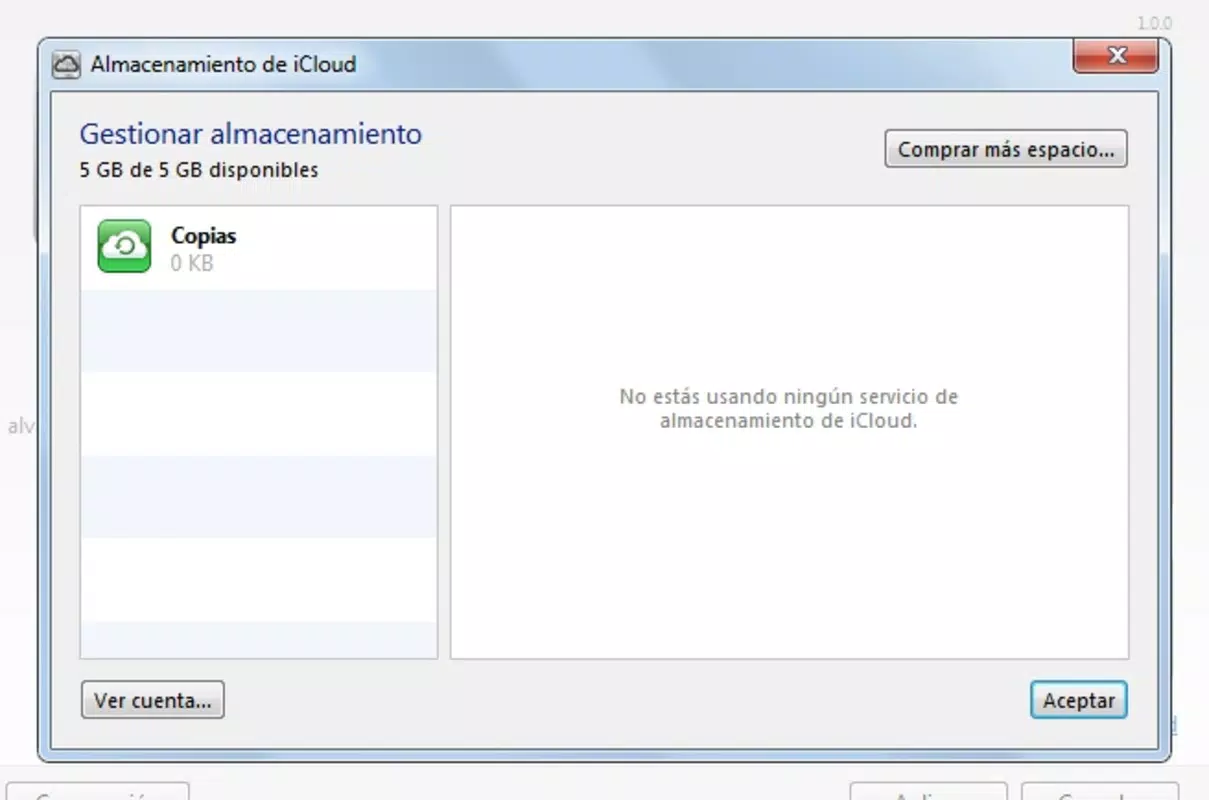
- 5 GB of Free Cloud Storage: iCloud provides users with 5 GB of complimentary storage space, ideal for saving essential files such as photos, videos, and documents. This allows users to maintain a digital archive without incurring additional costs, making it a practical solution for personal data management.
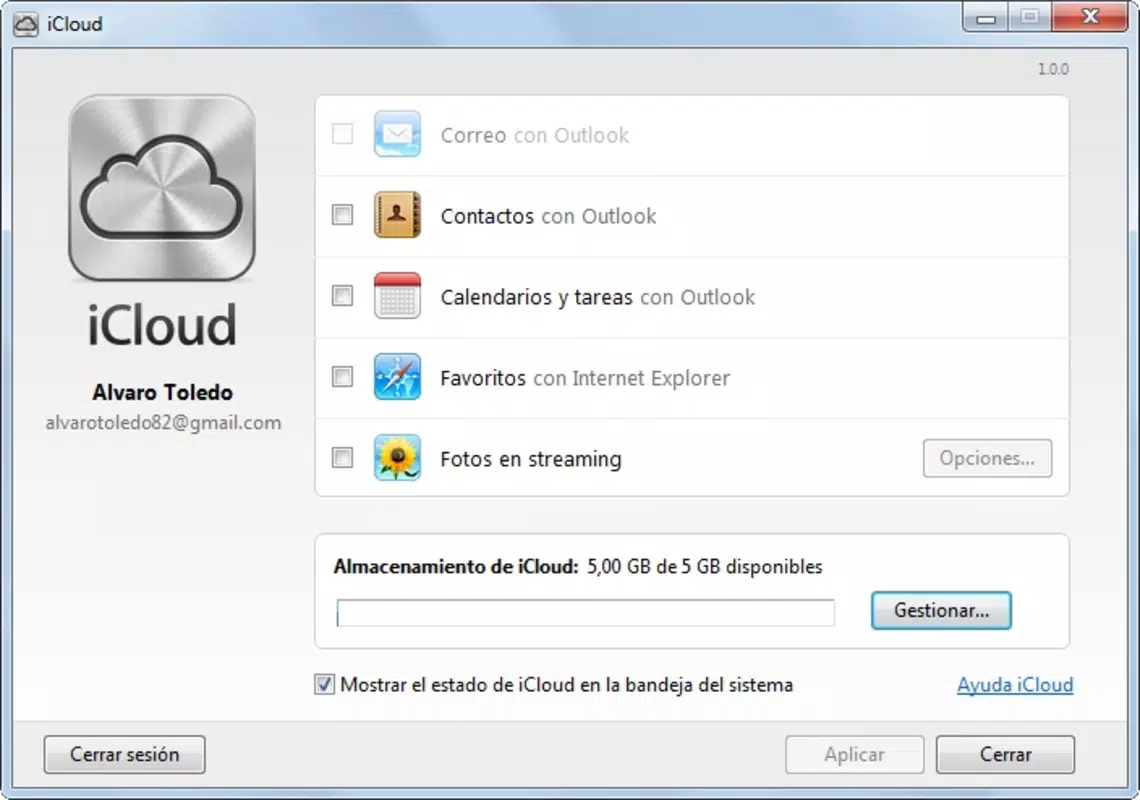
- Seamless iTunes Integration: The app enables efficient synchronization between iCloud and iTunes, allowing users to manage contacts, calendars, and favorites across devices. This ensures that data remains consistent and up-to-date regardless of the device being used.
- Intuitive User Interface: Designed with simplicity in mind, the interface allows users to access and modify their data with minimal effort. Even users with limited technical experience can navigate the app effectively, reducing the learning curve associated with cloud services.
- Multi-Device Accessibility: With an active internet connection, users can access their iCloud-stored content from any location. This feature supports remote work, travel, and on-the-go access, enhancing flexibility and productivity.
- Device Compatibility with Apple Ecosystem: The app is optimized for iPhone and iPod touch, ensuring optimal performance and compatibility within Apple’s hardware suite. This integration strengthens the cohesion of Apple’s ecosystem and encourages continued device loyalty.
For example, a user traveling abroad can access their family photos stored in iCloud directly from their iPhone, even if their primary device is unavailable. Similarly, a student can sync class schedules and contacts across devices, ensuring they never miss an important event. These real-world applications highlight the app’s practical value in daily life.
Interface, UX & Performance
The user interface of Panel de control de iCloud reflects Apple’s design philosophy—clean, minimal, and highly functional. The layout prioritizes ease of access, with clearly labeled sections for storage usage, account settings, and synced data. Navigation is straightforward, relying on standard iOS gestures and menu structures, which enhances usability for both new and experienced users.
Visual elements are consistent with Apple’s design language, featuring crisp icons, readable typography, and a cohesive color scheme. The app maintains a lightweight aesthetic without sacrificing functionality, contributing to a pleasant user experience. Users can quickly identify key metrics such as storage capacity and sync status, enabling proactive management of their digital footprint.
Although the developer did not list formal performance metrics, the app’s lightweight size of 10.0 MB suggests efficient resource utilization. It is expected to operate smoothly on a range of iOS devices, though specific performance benchmarks were not disclosed. Responsiveness appears to be consistent with other native Apple applications, ensuring timely interactions and minimal lag during navigation. Stability is likely maintained through Apple’s rigorous app review and deployment processes, though real-world testing across diverse hardware remains unverified.
Platform Compatibility & Technical Requirements
Panel de control de iCloud is designed exclusively for iOS, ensuring compatibility with Apple’s mobile operating system. The app requires iOS 5 or later, which was a significant release at the time of its launch in 2012. This minimum version requirement ensures that users have access to essential system features necessary for cloud synchronization and secure data handling.
The application has a file size of 10.0 MB, which is relatively small and suitable for devices with limited storage capacity. This compact footprint contributes to faster download times and reduced impact on device performance. While the developer did not specify exact hardware requirements, the app is intended for use on iPhone and iPod touch devices, which were the primary platforms for iCloud integration at launch.
Compatibility information was not fully disclosed beyond the OS version. Users are advised to ensure their device meets the minimum iOS 5 requirement to install and run the app successfully. No additional system resources or permissions were mentioned in the provided details.
Pros and Cons
Pros
- Free to download and use, offering essential cloud storage at no cost.
- Intuitive interface designed for ease of navigation and accessibility.
- Seamless integration with Apple’s ecosystem, including iPhone and iPod touch.
- Provides 5 GB of free storage for photos, videos, contacts, and calendars.
- Enables remote access to data from any internet-connected device.
Cons
- Requires iOS 5 or later, limiting use on older devices.
- Only available on Apple’s iOS platform, with no support for Android or other systems.
- 5 GB of free storage may be insufficient for users with large media collections.
- Specific performance metrics and hardware requirements were not disclosed.
- May require a valid iTunes account for full functionality.
FAQ
Is Panel de control de iCloud available for Android?
No, the app is exclusive to iOS devices and is not available for Android or other platforms.
Can I use Panel de control de iCloud without an iTunes account?
While the app integrates with iTunes, specific account requirements were not detailed. A valid Apple ID is typically necessary for iCloud access.
How much storage does the app provide for free?
The app offers 5 GB of free cloud storage for photos, videos, contacts, and other personal data.
Is the app secure and private?
As a native Apple application, it leverages Apple’s security infrastructure. However, specific privacy policies were not provided in the input.
How often does the app update?
Update frequency was not specified. Users should check the App Store for the latest version and improvements.
Final Thoughts
Panel de control de iCloud remains a foundational tool within Apple’s mobile ecosystem, offering reliable access to cloud-based storage and synchronization. Its lightweight design, intuitive interface, and seamless integration with iPhone and iPod touch make it a valuable asset for users seeking efficient data management. While the free 5 GB storage may not suit power users, it provides a solid starting point for personal file backup and cross-device access.
For individuals deeply invested in Apple’s hardware and software ecosystem, this app delivers consistent performance and long-term utility. Its role in enabling remote access and data consistency underscores its relevance in today’s mobile-first world. Despite its age, the app continues to function as a core component of Apple’s cloud strategy.
Download Panel de control de iCloud now


